

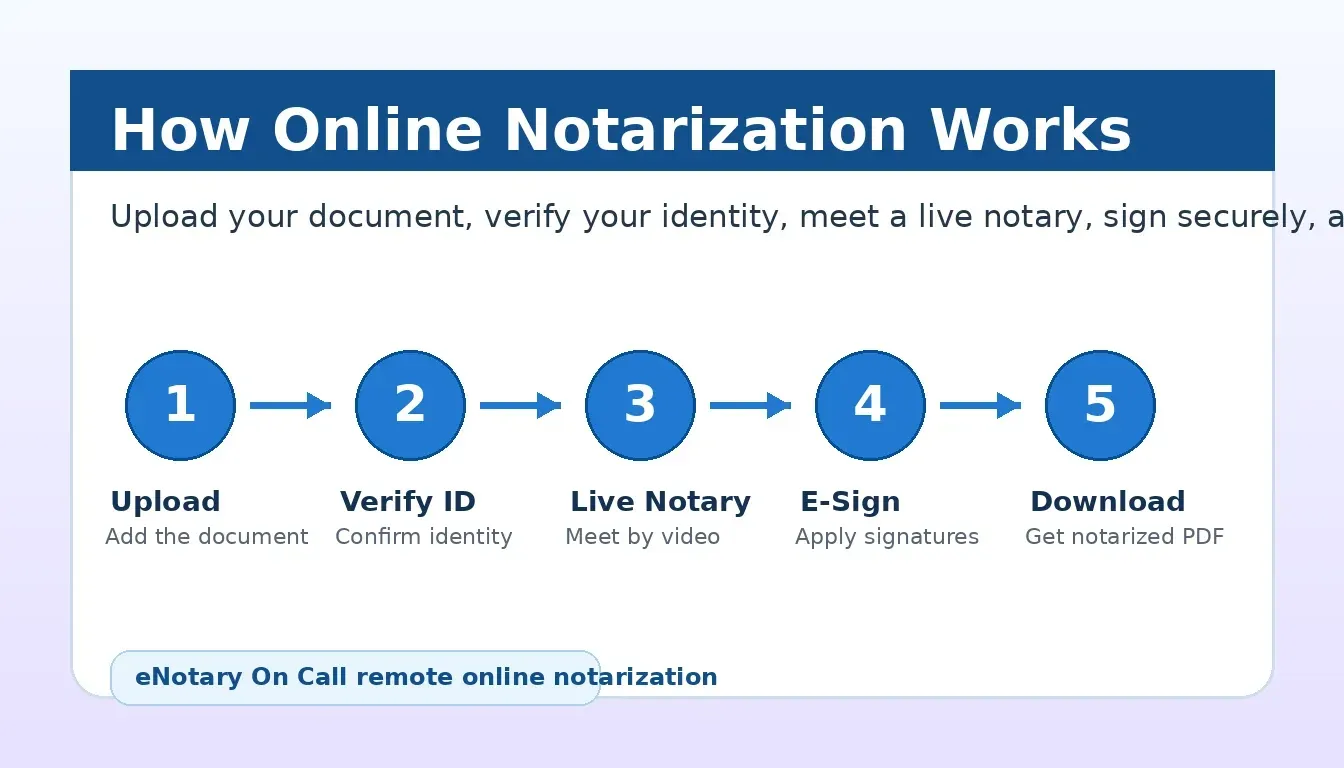
If you are asking, “how does online notarization work?”, the short answer is simple: you upload a document, verify your identity, meet a commissioned notary over secure live video, sign electronically, and download a notarized PDF. What used to require driving to a bank, shipping store, or county office can now happen from a laptop or phone, often in 10 to 15 minutes. eNotary On Call makes that process available 24/7, with identity verification, encrypted video, a digital seal, and a tamper-evident audit trail built into one guided platform.
See eNotary On Call pricing and start your notarization today.
What Is Remote Online Notarization (RON)?
Remote online notarization (RON) is the process of having a document notarized through a secure online video session instead of meeting a notary in person. A commissioned notary public verifies your identity, watches you sign the document, completes the notarial certificate, and applies an electronic signature and digital notary seal. The final document is delivered as a secure PDF with a record of the session. Online notaries who want to receive remote notarization opportunities can create a notary account and complete the platform onboarding process.
RON is different from simply signing a PDF. The notary must confirm who you are, confirm that you are signing willingly, witness the signature in real time, and create a compliant notarial record. The technology layer handles the identity checks, video session, document security, and audit trail so the notarization can be completed remotely without sacrificing the safeguards that make notarization legally meaningful.
For customers, the biggest difference is convenience. You do not need to search for a local office, coordinate business hours, print paperwork, or carry sensitive documents around town. For receiving parties, the biggest difference is traceability. The completed file includes digital evidence of the transaction, which can make recordkeeping easier than a paper-only process.
How Does Online Notarization Work? The 5-Step Process
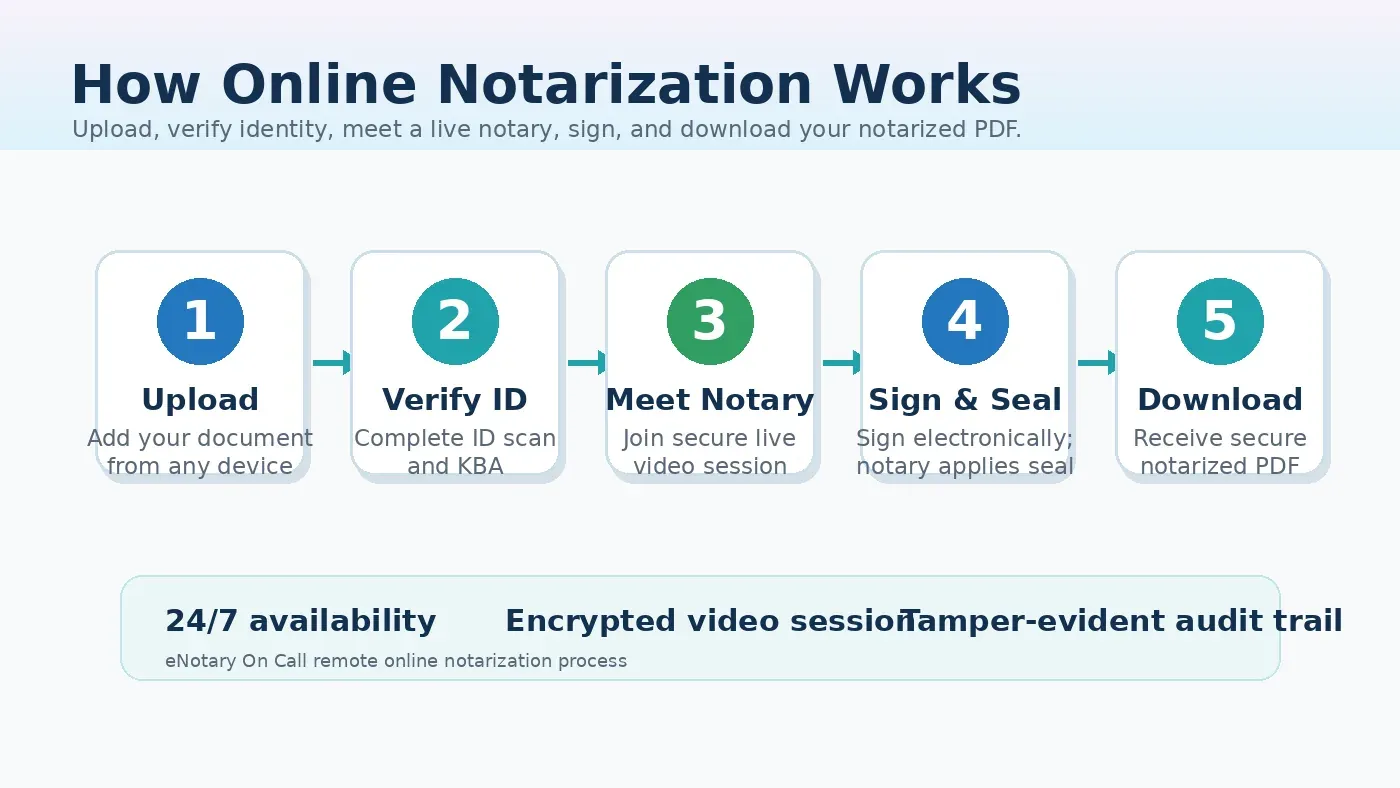
The eNotary On Call workflow is designed to move you from document upload to notarized PDF without unnecessary friction. The exact requirements can vary by state, document type, and receiving party, but the core process follows the same five steps.
Step 1: Create an Account and Upload Your Document
First, create an eNotary On Call account and upload the document you need notarized. The platform accepts common file formats, including PDF, DOC, and image files. If your document has blank fields, review them before the session starts. Completing names, addresses, dates, or non-notarial fields in advance helps the live session move faster and reduces the chance that the receiving party rejects the document for a simple missing detail.
This is also the point where you should confirm whether your document needs one signature, multiple signers, witnesses, or more than one notarial seal. A simple affidavit may only need one signer and one seal. A power of attorney, travel consent, real estate document, or business agreement may require extra review before the session begins. If you are preparing a power of attorney, the online power of attorney notarization page explains common requirements and use cases.
Step 2: Pay the Session Fee and Verify Your Identity
Online notarization with eNotary On Call starts at $25 for one sign and seal. A $5 ID and knowledge-based authentication (KBA) verification fee applies before the session and is applied to the final notarization amount. KBA typically asks questions based on public records, such as previous addresses, lenders, or other identity markers. You also need a valid government-issued photo ID and a device with a camera and microphone.
This identity step is one of the reasons online notarization is more secure than a basic video call. The notary is not relying only on visual inspection. The platform combines ID review, KBA, session records, and fraud-detection safeguards to help confirm that the signer is the person they claim to be. If a KBA attempt fails, the verification fee is not refundable because the verification attempt has already been processed.
Step 3: Connect with a Live Certified Notary
After identity verification, you connect with an available commissioned notary through a secure live video session. Because eNotary On Call operates 24 hours a day, seven days a week, you are not limited to bank hours or local office schedules. This matters for urgent documents, after-hours business needs, travel deadlines, healthcare paperwork, and situations where signers are in different locations.
During the session, the notary reviews the document, confirms your identity on camera, checks that you understand what you are signing, and confirms that you are signing voluntarily. The notary cannot give legal advice or tell you whether a document is right for your situation. Their role is to perform the notarial act correctly and create the required record.
Step 4: Sign the Document Electronically
Once the notary is ready, you sign the document electronically while the notary watches through the live video session. The notary then completes the certificate, applies their electronic signature, and attaches the digital notary seal. Each major action is timestamped and recorded in the audit trail, including identity verification results, session activity, and document completion data.
eNotary On Call also uses AI-powered fraud detection and document security controls. The platform is built for regulated use cases where identity, auditability, and data handling matter. For business users, the enterprise online notarization page covers higher-volume workflows, API integration, and secure document management for teams.
Step 5: Download Your Notarized PDF
When the session is complete, you can download the notarized PDF from your account. The file includes the notary’s electronic signature, digital seal, notarial certificate, and associated security record. You can send it to the receiving party, store it for your own records, or return to your account later if you need another copy.
Most straightforward sessions can be completed in minutes once your document and ID are ready. More complex documents may take longer, especially when multiple signers or witnesses are involved. If your receiving party has special rules, confirm them before the session so you can avoid rework.
Ready to notarize your document? View pricing and start in minutes.
What Do You Need Before Starting an Online Notarization?
A little preparation makes the session faster. Before you begin, have these items ready:
- Your document: Upload a clean, readable file. PDF is usually best, but DOC and image formats may also be accepted.
- A valid photo ID: Use a current government-issued ID, such as a driver’s license, state ID, or passport.
- A device with camera and microphone: A laptop, desktop, tablet, or smartphone can work as long as the video and audio are clear.
- A stable internet connection: The notary must be able to see and hear you throughout the live session.
- All required signers: If the document requires co-signers or witnesses, coordinate their availability before starting.
- Receiving-party instructions: If a bank, court, agency, school, or employer requested the notarization, check whether they have any formatting or acceptance requirements.
Do not sign the document before the session unless your receiving party or notary instructions specifically say otherwise. For most notarizations, the notary must witness the signature live.
What Documents Can Be Notarized Online?
eNotary On Call supports many common legal, financial, real estate, healthcare, government, and personal documents. Eligibility depends on the document, your state, the notary’s commission, and the receiving party’s requirements. Common online notarization use cases include:
- Legal documents: Power of attorney forms, affidavits, sworn statements, non-disclosure agreements, and legal contracts
- Real estate documents: Deeds, title documents, closing documents, lien releases, and property-related forms
- Healthcare documents: Advance healthcare directives, medical power of attorney forms, consent forms, patient release forms, and living wills
- Financial documents: Loan agreements, business loan forms, investment documents, and bank-requested forms
- Government and family documents: Immigration forms, travel consent forms, school forms, and other documents that require a notarial act
If you are not sure whether your document qualifies, the eNotary On Call FAQ answers common questions about eligibility, identity checks, pricing, and state availability.
Which States Allow Online Notarization?
Remote online notarization is authorized in 48 states and Washington, D.C., covering most of the U.S. population. State laws define how the process must be performed, which notaries may complete RON sessions, and what records must be kept. eNotary On Call routes sessions to notaries commissioned in states where they are authorized to perform the transaction.
Even when online notarization is legal, acceptance can depend on the receiving party. Courts, financial institutions, healthcare providers, employers, schools, and government agencies may have their own document-handling rules. If the document is time-sensitive or high-value, ask the receiving party whether they accept remote online notarization before starting.
For state-specific information, eNotary On Call also maintains local online notary resources, including pages such as online notary services in Florida. These pages help users understand how RON fits into state-level availability and local search needs.
Is Online Notarization Legal and Secure?
Yes, when performed through an authorized remote online notarization process, online notarization can carry the same legal effect as an in-person notarization. The notary still verifies identity, witnesses the signing, completes the certificate, and applies a seal. The difference is that these steps happen through approved technology instead of across a desk.
Security is central to the process. eNotary On Call uses encrypted video sessions, secure cloud storage, identity verification, document controls, and audit trail records. The platform is built for sensitive document workflows across individuals, law firms, healthcare organizations, financial services, and enterprise teams. Company materials reference compliance capabilities including SOC 2 Type II, HIPAA, and GDPR support, which are important signals for customers handling confidential information.
Online notarization also creates a stronger record than many paper-only transactions. A traditional notarization may leave a journal entry and a stamped document. A properly completed RON transaction can include identity verification data, session evidence, timestamps, and a secure digital document trail.
Online Notarization vs. In-Person Notarization
| Feature | Online Notarization (RON) | In-Person Notarization |
|---|---|---|
| Location required | Any approved device with internet | Same physical location as the notary |
| Availability | 24/7 with eNotary On Call | Often limited to business hours |
| Typical completion time | Often 10 to 15 minutes after setup | Varies by travel, appointment, and wait time |
| Cost structure | Transparent pricing starting at $25 for one sign and seal | Varies by state, provider, travel, and document type |
| Identity verification | ID scan, KBA, video confirmation, and platform safeguards | Physical ID review by the notary |
| Document delivery | Downloadable notarized PDF | Usually paper, unless separately scanned |
| Audit trail | Digital, timestamped, and tamper-evident | Primarily notary journal record |
| Best fit | Urgent, remote, multi-location, or digital-first workflows | Documents that require wet ink or a receiving party that refuses RON |
When Should You Choose Online Notarization?
Online notarization is a strong fit when convenience, speed, and secure digital delivery matter. It is especially useful if you need a notarized document outside normal business hours, if you are traveling, if signers are in different locations, or if you want to avoid printing and scanning sensitive paperwork. It also helps businesses standardize notarization across teams without sending employees to different local providers.
You may want to use an in-person notary instead if your receiving party specifically requires wet ink, if your state or document type has a restriction, or if the document includes unusual instructions that cannot be completed in a remote session. When in doubt, ask the receiving party first. A quick confirmation can prevent delays after the document is signed.
Frequently Asked Questions About Online Notarization
Start your notarization now. Documents notarized in 15 minutes or less, available 24/7.
How long does online notarization take?
Most straightforward online notarization sessions can be completed in 10 to 15 minutes once your document is ready and your identity verification is complete. Total time may be longer if the document requires multiple signers, witnesses, corrections, or receiving-party review.
Do I need special software or equipment?
No special software is required. You need a device with a working camera and microphone, a stable internet connection, and a valid government-issued photo ID. eNotary On Call runs through a guided online platform.
Is my document stored securely?
Yes. eNotary On Call uses encrypted cloud storage, secure access controls, and audit trail records to protect notarized documents. You can access the completed document through your account after the session.
What if I fail the KBA identity check?
If you fail KBA, the $5 verification fee is not refundable because the verification attempt was processed. You may be able to try again or contact support for guidance, depending on your situation and the applicable requirements.
Is a document notarized online accepted everywhere?
Online notarization is authorized in 48 states and Washington, D.C., but acceptance can still depend on the receiving party. Before notarizing a document for a court, bank, government agency, school, employer, or international recipient, confirm that they accept remote online notarization.
Whether you need notarization for government documents, real estate transactions, or personal legal matters, eNotary On Call has you covered. Sign up free and connect with a certified notary in minutes.